
Query History
Query History
Section titled “Query History”All queries that are run in the query editor are added to history. The history is searchable and sortable.
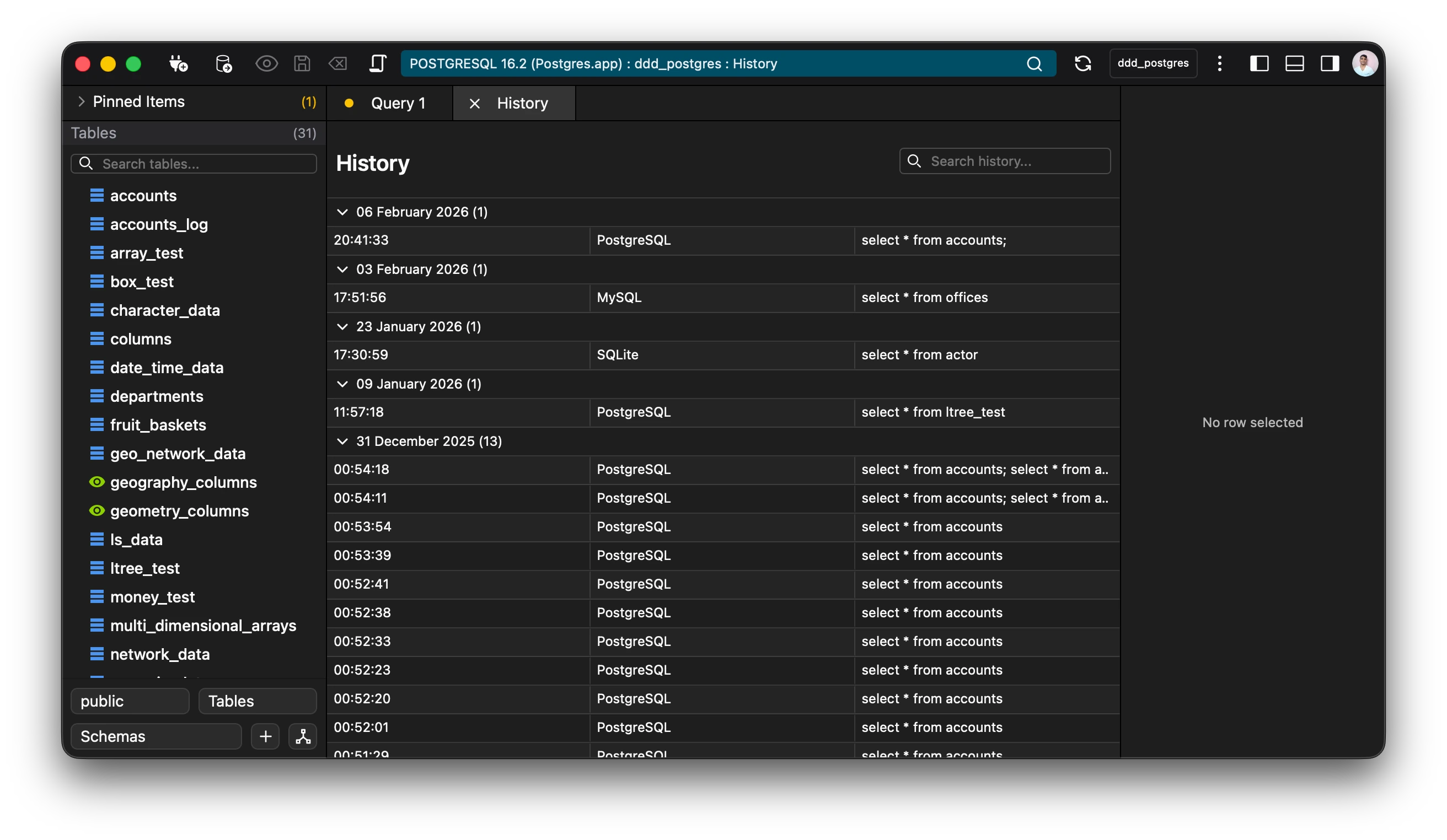
All history entries are sorted by lastUpdated by default.
History entries appear in the history view, which is accessible through the toolbar (three vertical dots) or via the Keyboard Shortcut: Ctrl+Y (Windows/Linux) or Cmd+Y (Mac).
💡Tip: Double click on a query to open it in a query editor.
A number of operations can be done using the history view, which are available through the context menu.
The options for a saved query are as follows:
- Run - Open a query editor and directly run the query.
- Open - Opens the query in a query editor to be run.
- Copy - Copies the query to the clipboard.
- Export - Export a query to a sql file.
- Delete - Deletes the history entry.